Free live stream popups are one of the most common reasons a simple viewing plan turns stressful. A viewer only wants to watch a match, concert, event, or creator session, but the page suddenly opens new tabs, shows fake play buttons, asks for notification permission, displays virus warnings, or pushes a download that has nothing to do with the stream.
The confusing part is that not every ad is dangerous. Legal websites also show ads. Some official streaming pages use banners, sponsorship messages, cookie notices, subscription prompts, or app install suggestions. The problem begins when a popup does not behave like normal advertising and starts pushing viewers toward unknown links, fake warnings, forced downloads, or payment traps.
For Free Livestream Sound of Text, this topic belongs in the Popups category because free streaming searches often lead viewers into pages where the biggest risk is not the video itself, but the things that appear around the video.
Free Live Stream Popups And Safe Ads Are Not The Same Thing

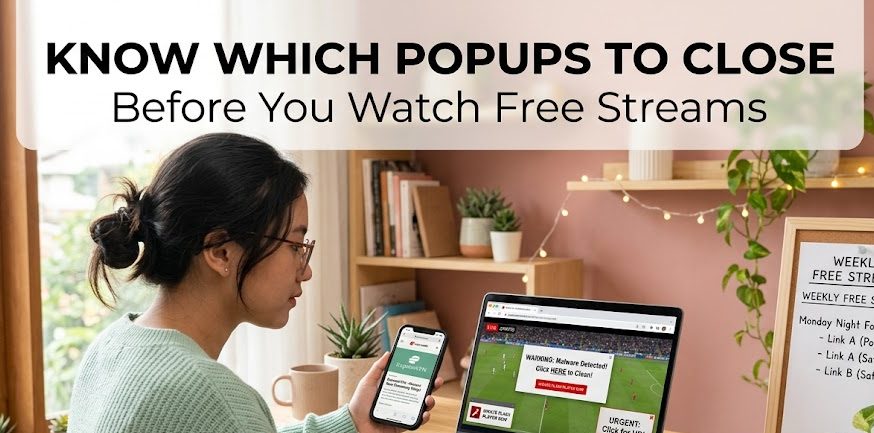
Safe ads usually stay inside a normal browsing experience. Risky popups try to take over the viewer’s attention, browser, or decision-making.
Safe Ads Stay Near The Content
A safer ad is usually visible, labeled, and easy to ignore or close. It may sit above the player, beside the page, between sections, or before the video starts. It should not pretend to be a system warning or force the viewer into unrelated actions.
Safer ad behavior usually looks like this:
- the ad is clearly separated from the video
- the close button works normally
- the page does not open endless new tabs
- the ad does not demand software installation
- the ad does not claim the device is infected
- the ad does not ask for passwords
- the ad does not force payment for a fake prize
This kind of ad may still be annoying, but annoyance is different from danger.
Risky Popups Push Viewers Away From The Stream
A risky popup tries to move viewers somewhere else. It may open a new tab, cover the video, imitate a play button, pretend the browser is infected, or ask the viewer to install an extension before watching.
Google says signs of unwanted software or malware can include pop-up ads and new tabs that will not go away, browser redirects to unfamiliar pages or ads, unwanted extensions that keep coming back, and alerts about a virus or infected device.
That pattern is common on low-quality free streaming pages. The viewer thinks they are clicking the stream, but the page is really steering them into ads, redirects, or scams.
Fake Play Buttons Are More Dangerous Than Normal Banners
One of the biggest differences between a normal ad and a risky popup is disguise. A banner ad looks like an ad. A fake play button pretends to be part of the video player.
Real Player Controls Stay Inside The Video Area
A real player control usually behaves consistently. The play button is inside the video frame. The volume button affects the video. The full-screen button opens the player. The timeline belongs to the actual stream.
A fake player control often appears outside the real player or appears several times on the page. When clicked, it may open an ad tab, redirect to another website, or ask the viewer to register before the stream even loads.
Fake Buttons Create A Click Trap
Illegal or low-quality streaming sites often place many “play,” “watch now,” or “HD stream” buttons around the page. The goal is not clarity. The goal is to make viewers click something under time pressure.
Research on illegal live streaming services found that illegal sports streaming domains exposed users to deceptive ads, malicious browser extensions, scams, and extensive tracking.
That is why viewers should not keep clicking every button until something works. More clicks often mean more exposure.
Fake Virus Popups Are Not Streaming Warnings
A video page may legitimately say a stream is unavailable, region-blocked, offline, or not supported. A fake virus popup is different. It claims something is wrong with the viewer’s device.
Real Stream Errors Talk About The Stream
A normal stream error may say:
- stream offline
- video unavailable
- region restricted
- browser not supported
- login required
- subscription required
- event has ended
- playback error
These messages may be frustrating, but they are about the video.
Scam Popups Talk About Fear
A fake virus popup often says the device is infected, locked, hacked, or at risk. It may ask the viewer to call a phone number, download a cleaner, install an extension, or pay for support.
Microsoft warns that fake error messages on websites may display support numbers and scare users into calling a fake technical support hotline. Microsoft also says its real error and warning messages never include phone numbers.
For free stream viewers, that means one rule is simple: a popup claiming your device is infected is not part of the live stream.
Browser Notification Prompts Need Extra Caution
Some streaming pages ask viewers to allow notifications. That can be harmless on trusted sites, but on suspicious streaming pages, it can become a long-term nuisance.
Safe Notification Requests Are Optional
A legitimate site may ask for notifications to send updates, event reminders, or breaking news. The viewer should still be able to say no and keep browsing.
A safer notification request:
- explains what the notification is for
- comes from a recognizable site
- does not block the whole page aggressively
- does not claim it is required to play the video
- can be declined without losing access to normal content
Risky Notification Requests Pretend To Unlock The Stream
A suspicious page may say “click allow to watch,” “allow notifications to verify,” or “press allow to continue.” That is a bad sign.
On Android, Google’s Chrome Help says users can stop annoying notifications from a website through site permissions, and it recommends keeping Play Protect on to protect the device from problematic apps.
A stream should not require browser notifications just to prove the viewer is human. If a page insists on notification permission before the video appears, close it.
Safe Ads Do Not Ask For Strange Downloads
A legal streaming page may suggest downloading its official app. That is different from a random popup asking for an APK, browser extension, codec, update, or “HD player.”
Official App Prompts Are Traceable
A safer app prompt should point to a known app store, official platform, or recognized provider. The app name, developer name, and source should be clear.
This may happen with:
- official broadcaster apps
- league streaming apps
- smart TV apps
- verified event apps
- subscription streaming platforms
Even then, the viewer should check the source before installing anything.
Suspicious Download Popups Are A Red Flag
Google advises users to be cautious of sites that may cause unwanted software downloads, especially if they offer copyrighted content at no charge. Google also says that if a popup about a program update or download seems suspicious, users should not click it and should go to the program’s official website instead.
For free live streams, suspicious downloads often appear as:
- required HD player
- missing codec
- browser update
- flash player update
- VPN installer
- video unlocker
- stream extension
- fake security scanner
A real live stream should not require a mystery file from a random popup.
The Comparison Is Really About Control
The safest way to compare ads and popups is to ask who controls the experience. With safer ads, the viewer still controls the page. With risky popups, the page controls the viewer.
| Signal | Safer Ad | Risky Popup |
|---|---|---|
| Visibility | Clearly looks like an ad | Pretends to be player, warning, or system message |
| Closing behavior | Can be closed normally | Comes back, opens new tabs, or blocks the page |
| Link behavior | Goes to a clear sponsor or platform | Redirects through unknown pages |
| Message style | Promotional but not threatening | Urgent, scary, or fake security warning |
| Download request | No forced download | Pushes APK, extension, codec, or cleaner |
| Payment request | Clear checkout if relevant | Strange fee, prize, or verification payment |
| Browser behavior | Page remains usable | Browser feels hijacked or trapped |
This is why a viewer should not judge a page only by whether it has ads. The real warning is how those ads behave.
Legal Streaming Pages Usually Have Better Boundaries
Legal streaming pages can still include ads, but they usually have clearer boundaries around the content. The provider name is visible. The player is stable. The login path is normal. The subscription or free access rule is explained.
Legal Pages Explain Access
A legitimate streaming page usually tells the viewer what is happening:
- watch free
- sign in required
- subscription required
- event not available in your region
- stream starts at a certain time
- replay available later
- app required for this device
The viewer may not like the answer, but the answer is clear.
Risky Pages Keep Moving The Goalpost
A suspicious page often changes the requirement every time the viewer clicks. First it asks to close one popup. Then it asks to allow notifications. Then it opens a new tab. Then it asks for registration. Then it requests a card for a “free” stream.
That moving goalpost is the warning. The stream is being used as bait.
What Viewers Should Close Immediately
Some popups are not worth testing. Close the page or tab immediately if the popup:
- claims your device is infected
- includes a phone number for support
- asks for remote access software
- forces a browser extension
- asks for a fake update
- says you won a prize for watching
- asks for card details before showing a free stream
- opens repeated new tabs
- hides the close button
- uses fake countdown pressure
- demands notification permission to unlock the video
Microsoft says tech support scammers may use full-screen browser tricks, repeated pop-up windows, fake system errors, and audio messages to make a scam look more believable.
That kind of behavior is not normal advertising. It is a reason to leave.
What Viewers Can Do After Clicking A Bad Popup
A mistaken click does not always mean disaster, but it should be handled calmly.
Close The Tab Instead Of Following Instructions
If a popup appears after a click, do not follow its instructions. Do not call the number. Do not download the file. Do not enter passwords or card details. Close the tab or browser window.
If the popup refuses to close, use the browser’s task manager, force close the browser, or restart the device.
Check Browser Permissions And Extensions
If popups keep returning, check browser notifications, extensions, homepage settings, and recently installed apps. Google lists persistent popups, changed homepage or search engine, unwanted extensions, redirects, and virus alerts as signs that unwanted software or malware may be present.
On Android, Google recommends removing problematic apps, turning on Play Protect scanning, and stopping notifications from specific websites when annoying notifications appear.
Use Official Sources For Any Download
If a popup says a browser, video player, antivirus, or operating system component needs updating, do not use the popup link. Go to the official website, app store, or device settings.
That one habit avoids many fake update traps.
A Safer Viewing Habit For Free Live Streams
Free streaming does not have to mean careless clicking. Viewers can reduce risk by choosing legal sources, checking the site owner, avoiding fake play buttons, rejecting forced downloads, and closing popups that use fear or urgency.
A practical habit looks like this:
- Start from the official event, league, creator, or broadcaster page.
- Avoid pages with too many fake play buttons.
- Do not allow notifications just to watch a stream.
- Never install a random player, codec, APK, or extension.
- Treat virus warnings inside a webpage as suspicious.
- Close pages that open repeated tabs or redirects.
- Use official apps and verified streaming pages when available.
This habit keeps the viewer focused on the stream instead of the traps around it.
Free Stream Popups Should Not Control The Viewer
The difference between safe ads and risky popups is not only appearance. It is behavior. Safe ads may be visible, sponsored, and even annoying, but they do not need to scare the viewer, hijack the browser, or force a download. Risky popups try to create panic, confusion, or urgency so the viewer clicks without checking.
That is why free live stream popups should be treated carefully. A real stream should not need fake virus alerts, endless redirects, suspicious extensions, or “allow notifications to continue” tricks.
The safest free live viewing experience is the one where the content source is clear, the player behaves normally, and closing an ad does not turn into a chase through unknown pages.


Thiago Valença has worked with community media projects, public cultural institutions, and digital content partnerships. He has helped audiences find free broadcasts of lectures, local festivals, public meetings, educational programs, and independent performances. His articles focus on legitimate free livestreams, open-access content, ad-supported services, and the warning signs of unsafe or misleading streaming websites.