A strange thing happens after one late-night movie on a suspicious free site. Suddenly, your inbox is full of investment offers, fake delivery notices, and “urgent” account warnings. That’s where sketchy streaming sites become more than an annoying source of pop-ups. The real product may be the trail you leave behind.
Not every free streaming website is secretly selling your data, of course. But shady operators can monetize visitors through aggressive advertising, tracking, fake downloads, phishing pages, or data collection. The bigger problem is that you often don’t know which business is actually receiving your information.

1. How Sketchy Streaming Sites Turn a Free Movie Into a Data Harvest
The “free” part can be misleading. A legitimate service may make money from subscriptions or clearly disclosed advertising. A shady streaming operation has far more questionable ways to squeeze value from visitors.
Your Browser Becomes the First Source of Clues
A website can observe information associated with your visit, such as browser characteristics, approximate location, device details, referral information, and interactions with pages. Tracking technologies can then help build a profile of browsing behavior.
That doesn’t automatically mean your name and bank account are being sold. But your digital footprint tracking can still reveal useful patterns about what you watch, where you come from, and how you behave online.
Data Harvesting Is Bigger Than Email Addresses
The term data harvesting sounds dramatic, but the concept is simple. Information is collected from multiple interactions and combined to create something commercially useful.
Possible information can include:
- Email addresses submitted into fake sign-up forms
- Device and browser information
- IP address and approximate location
- Pages visited and links clicked
- Advertising identifiers or tracking data
- Information voluntarily entered into forms
The FTC explains that data brokers can collect information from different sources, combine it into profiles, and sell or share those reports.
Why the Spam Arrives After the Movie
Imagine entering your email into a “verify you’re human” box because the player refuses to load.
That innocent-looking action can become the beginning of a much bigger problem.
Your address might be exposed through a poorly protected database, shared with advertising partners, harvested by another party, or simply used by scammers who now know that the address belongs to an active user.
This is why email spam generators aren’t necessarily connected directly to the streaming site. There can be several layers between the original collection and the eventual spam campaign.
Malicious Pages Want More Than Your Email
Some attacks are designed to steal credentials rather than build an advertising profile.
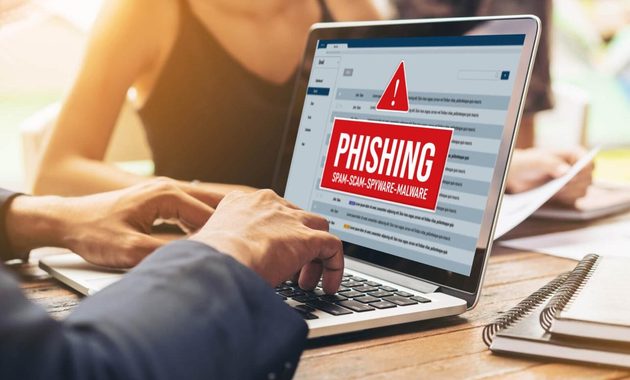
Microsoft describes phishing as an attempt to obtain information such as passwords, financial details, or identity information by making a fake website appear legitimate.
A fake streaming page might therefore lead you toward:
- A fake player
- A fake “account verification” screen
- A suspicious browser notification request
- A fake software update
- A payment or login form
That chain is far more dangerous than simply seeing too many advertisements.
Your Inbox Can Become the Next Battlefield
Once an email address is circulating, the attack doesn’t have to mention streaming at all.
You might receive a fake Netflix renewal notice, a banking alert, an investment pitch, or a parcel-delivery scam. Netflix itself warns users not to provide passwords or payment information through suspicious messages and recommends going directly to the official website instead of following an unfamiliar link.
2. Privacy Leaks, Tracking and the Warning Signs You Shouldn’t Ignore
A suspicious streaming website doesn’t need to steal your identity in one dramatic move. Sometimes the danger looks much smaller at first.
Watch for these signals:
- The site repeatedly opens new tabs.
- A video requires an unfamiliar browser extension.
- A download starts without a clear reason.
- You are told your device has a virus.
- A page demands your phone number before playback.
- The domain keeps changing between redirects.
- The site asks you to disable browser security.
- A fake “Play” button leads somewhere unrelated.
Google specifically identifies unwanted pop-ups, persistent redirects, unfamiliar extensions, and fake virus warnings as signs that unwanted software or malware may be involved.
Privacy leaks can also happen without an obvious infection. Tracking scripts, exposed databases, weak security practices, or deceptive forms can all increase your exposure.
Chrome’s Safe Browsing system checks websites, downloads, and extensions against known unsafe resources and can warn users about phishing, malware, and malicious advertising.
If you accidentally land on a questionable site, don’t panic. Close the tab, don’t download anything, and check whether your browser has gained an unfamiliar extension or notification permission.
For Indonesian users, the national cybercrime reporting service IC4 also provides tools to check suspicious links, messages, files, and APKs.
And if you’re interested in how streaming scams can move beyond suspicious websites, this guide on spotting Facebook Live scams fits naturally into the same security conversation.
3. What to Do After Visiting a Suspicious Streaming Website
You don’t need to throw your laptop out the window. A few sensible steps can reduce the damage.
If you only watched a video:
- Close the website.
- Don’t click additional pop-ups.
- Clear suspicious site permissions.
- Check your browser extensions.
- Keep your browser and operating system updated.
If you entered an email address:
Expect more suspicious messages and become stricter about links. Don’t reuse that email password elsewhere, and enable two-factor authentication on important accounts.
If you entered a password:
Change it immediately from the legitimate service’s official website. If you’ve reused that password elsewhere, change those accounts too.
If you entered card or banking information:
Contact your bank or card provider immediately. Don’t wait for an unauthorized transaction before taking action.
If you downloaded a suspicious file:
Don’t open it. Chrome notes that dangerous downloads can contain malware or deceptive software capable of changing device settings or compromising accounts.
The best approach isn’t paranoia. It’s friction. Make suspicious websites work harder to get anything from you.
The same rule applies to sketchy streaming sites that look surprisingly professional. A polished interface doesn’t prove that the operator behind it is trustworthy.
Q&A
Can a streaming website know my exact home address?
Usually not simply because you visited it. Websites can obtain your IP address and other technical information, which may reveal an approximate location. More precise personal information generally requires additional data sources or something you provide yourself.
Does using Incognito Mode make a suspicious streaming site safe?
No. Incognito mainly limits what is stored locally in your browser. It doesn’t magically prevent a malicious website from attempting phishing, tracking, or harmful downloads.
What is the safest alternative to suspicious free streaming sites?
Use an official broadcaster, licensed streaming platform, or legitimate free service supported by your region. Fewer unknown redirects and fewer questionable downloads generally mean a much smaller security headache.

Thiago Valença has worked with community media projects, public cultural institutions, and digital content partnerships. He has helped audiences find free broadcasts of lectures, local festivals, public meetings, educational programs, and independent performances. His articles focus on legitimate free livestreams, open-access content, ad-supported services, and the warning signs of unsafe or misleading streaming websites.