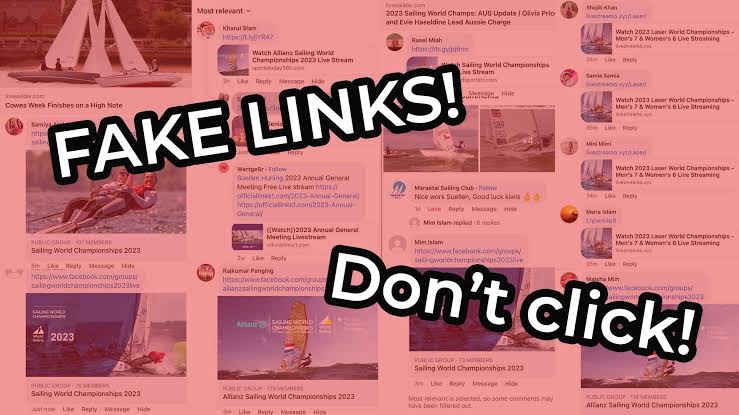
Facebook Live scams are dangerous because they do not always look like obvious fraud at first. A scam can appear as a live giveaway, a celebrity announcement, a charity event, a shopping deal, a crypto discussion, a fake product launch, or a copied livestream from a real brand. The live format makes everything feel urgent, and urgency is exactly what scammers use to make viewers click before thinking.
The risk is not small. The FTC reported that in 2025, nearly 30% of people who reported losing money to a scam said it started on social media, with reported losses reaching $2.1 billion. The FTC also said people reported losing more money to scams that started on Facebook than on any other social media platform in 2025.
For Free Livestream Sound of Text, this article belongs in the Scams category because viewers searching for free live access need to know when a live video is safe to watch and when it is being used as bait.
Facebook Live Scams Usually Start With Urgency
A scam livestream often tries to make viewers act fast. The stream may say the offer is ending soon, the prize is limited, the donation window is closing, or the investment opportunity is only available for people watching live.
That pressure is intentional. The less time viewers spend checking the Page, link, payment method, and claim, the easier it is for scammers to move them away from Facebook and into a fake website, private message, payment app, or phishing form.
Step 1 Check The Promise Before You Check The Link
The first fix is to slow down and read the promise carefully. A Facebook Live scam often makes the offer sound too easy, too emotional, or too urgent.
Be careful when a live stream says:
- “Everyone watching can win”
- “Click now before the stream ends”
- “Send a small fee to unlock your prize”
- “Register your card to verify your identity”
- “Join this investment group today”
- “Donate now before the campaign closes”
- “This celebrity is giving away money”
- “Only live viewers get this secret link”
The FTC says social media scams often include investment, shopping, and romance scams. It also says investment scams that started on social media caused the highest losses in 2025, while shopping scams were the most reported type among people who lost money to social media scams.
Step 2 Treat Celebrity And Brand Streams With Extra Suspicion
A copied celebrity image, brand logo, or familiar face can make a fake livestream look convincing. Scammers know that viewers trust names they already recognize.
Meta has described “celeb-bait” scams where scammers misuse images of public figures, celebrities, and content creators to trick people into engaging with ads that lead to scam websites. Meta also said these sites commonly ask people to share personal information or send money.
This matters for Facebook Live because a scam stream may use:
- an old celebrity video
- a copied brand announcement
- fake interview footage
- AI-generated voice or image
- a reposted event video
- a fake Page with a real logo
- a live title promising a prize or investment
Do not trust a live video only because the face looks familiar. Check whether the Page is the real Page, whether the event is mentioned on the official website, and whether the link matches the brand’s normal domain.
Step 3 Open The Page Before Taking Action
Before clicking a link, donating, buying, or sharing, open the Page running the live stream. Look at the Page history and behavior.
Warning signs include:
- Page created recently
- copied logo but little original content
- strange name spelling
- sudden change in topic
- poor grammar in important posts
- no clear About information
- no official website link
- comments full of repeated phrases
- admin replies pushing viewers to private messages
- the same live video posted many times
A real brand, creator, charity, or event organizer usually has a wider history outside one live stream. A suspicious Page often depends on one urgent live offer.
Step 4 Compare The Page With Official Sources
The safest check is to leave the live stream and search the official source separately. Do not use the link provided inside the suspicious live video.
Check:
- the brand’s official website
- the verified Facebook Page
- the official Instagram or YouTube account
- the event organizer’s website
- the charity’s registered page
- the creator’s known social profiles
- recent public announcements
If the livestream claims a big giveaway, official sale, emergency donation, or celebrity investment event, the real source should mention it somewhere outside the suspicious stream.
Step 5 Inspect The Link Without Opening It Quickly
A suspicious Facebook Live link often looks slightly wrong. It may imitate a real brand but use a different domain, extra words, strange spelling, or a shortened URL.
Watch for:
- misspelled brand names
- random numbers in the domain
- short links with no context
- links in pinned comments from unknown accounts
- links asking for Facebook login again
- pages that request credit card details for a “free” prize
- payment pages with no company information
- forms asking for too much personal data
A real livestream may link to a normal event page, ticket page, shop, donation page, or official site. A scam link often feels rushed, hidden, or confusing.
Step 6 Never Pay A Fee To Receive A Prize
A fake giveaway often asks viewers to pay a shipping fee, verification fee, processing fee, tax fee, or unlocking fee. This is a major warning sign.
Meta’s guidance on payment scams says advance payment scams can involve a seemingly legitimate profile or storefront asking for payment before shipping an item, then stopping communication and never sending the product.
For live scams, the same pattern can appear as:
- “Pay delivery first”
- “Send a small fee to claim”
- “Confirm your card”
- “Transfer now to reserve”
- “Pay before the live ends”
- “Deposit to join the winner list”
A real giveaway should not require strange fees through personal accounts, gift cards, crypto wallets, or private payment links.
Step 7 Check The Seller Before Buying
Before buying from a Facebook Live seller, check whether the seller has a real business identity.
Look for:
- clear store name
- consistent posting history
- real customer feedback
- transparent shipping policy
- return policy
- official website
- safe payment method
- no pressure to leave Facebook quickly
- no demand for payment through strange channels
The FTC advises people to check out a company before buying and search the company name with words like “scam” or “complaint.”
Step 8 Be Careful With Deep Discounts From Big Brands
A fake live shopping scam may claim that a famous brand is offering huge discounts only during the live session. This can be especially convincing when the scammer uses copied brand visuals.
Meta’s 2026 legal action against scam advertisers included examples of deceptive ads offering deeply discounted items from well-known brands and redirecting people to sites that asked for credit card information.
A large discount does not automatically mean scam, but it should trigger verification. Go to the brand’s official website or verified Page and check whether the promotion is real.
Step 9 Reject Guaranteed Profit Claims
A suspicious investment livestream often promises:
- guaranteed daily profit
- no-risk trading
- secret crypto signal
- limited investment group access
- fake testimonials
- fast recovery of previous losses
- celebrity-backed trading platform
- live viewers-only investment link
Meta says investment scams often promise quick and easy returns with little to no risk on assets such as shares, crypto, real estate, or precious metals. It also says scammers may contact people through social media with exclusive opportunities or invitations to investment coaching groups.
The FTC also advises people never to let someone they met only on social media direct their investment decisions.
Step 10 Verify The Adviser Outside Facebook
A real financial professional should be verifiable outside a Facebook Live stream. If the livestream pushes viewers into a private group, private chat, crypto wallet, or “mentor” account, step back.
Meta suggests checking licensed and registered investment firms or advisers through tools such as FINRA BrokerCheck or the SEC Investment Adviser Public Disclosure tool.
A livestream is not enough proof. A screenshot of profit is not enough proof. A friendly host is not enough proof.
Step 11 Verify The Fundraiser Before Donating
Before donating through a Facebook Live stream, check whether the fundraiser is connected to a real organization or verified person.
Look for:
- registered charity name
- official donation page
- transparent organizer identity
- clear use of funds
- history of legitimate activity
- official website confirmation
- no private bank transfer pressure
- no emotional manipulation without details
Research on donation-based abuses across social platforms has found fraudulent donation schemes that use fake fundraising websites, crowdsourcing-style requests, and requests to communicate through email, phone, or various payment methods.
Step 12 Stop, Screenshot, Report, And Warn Carefully
Meta’s Facebook Help Center says that if you see something on Facebook that you think is a scam, you should not respond and should report it.
A clean response looks like this:
- Do not click the link.
- Do not send money.
- Do not share login codes.
- Take screenshots if money or impersonation is involved.
- Report the live video, Page, profile, comment, or message.
- Warn family or friends privately if they may be affected.
- Contact your bank or payment provider quickly if you already paid.
- Change passwords if you entered login details.
Facebook’s Help Center also says the best way to report abusive content or spam is by using the Report link near the content itself.
Step 13 Report Financial Fraud Outside Facebook Too
If money was lost, reporting only to Facebook may not be enough. The FTC says people can report fraud, scams, and bad business practices through ReportFraud.ftc.gov.
For viewers outside the United States, the right reporting place may be a local consumer protection agency, cybercrime unit, bank, payment app, or platform support channel.
A Simple Facebook Live Scam Checklist
Before trusting a live video, use this quick checklist.
The live stream is risky if it:
- uses a famous person but comes from an unknown Page
- promises free money, prizes, crypto, or expensive products
- asks for payment before receiving anything
- pushes viewers to private messages
- uses short links or strange domains
- asks for login codes or passwords
- requests credit card details for a free offer
- pressures viewers to act before the live ends
- deletes skeptical comments
- repeats the same sales message unnaturally
- claims guaranteed investment returns
- uses emotional crisis footage without clear proof
- has no official confirmation outside Facebook
A real live video can still promote, sell, donate, or invite viewers somewhere. The difference is that legitimate live content gives viewers enough information to verify the claim calmly.
The Safer Way To Watch Free Facebook Live Content
Facebook Live can be useful for events, communities, creators, sellers, charities, and public updates. The problem is not the live format itself. The problem is when scammers use live urgency to hide weak proof.
A safer viewer habit is simple: pause before clicking, check the Page, verify the offer outside Facebook, avoid private payment pressure, and report suspicious streams instead of engaging with them.
The best protection against Facebook Live scams is not paranoia. It is slowing the moment down. A real creator, brand, charity, or event should still look real after you check the source. A scam usually starts falling apart the moment you stop rushing.

Thiago Valença has worked with community media projects, public cultural institutions, and digital content partnerships. He has helped audiences find free broadcasts of lectures, local festivals, public meetings, educational programs, and independent performances. His articles focus on legitimate free livestreams, open-access content, ad-supported services, and the warning signs of unsafe or misleading streaming websites.


1 comment
Comments are closed.